Layout ideas
Small backyard layout ideas that leave room to move
Three measured small-backyard layouts, common sizing tradeoffs, and a walk-through before you buy furniture or plants.
Read the layout ideas guideBackyard AI for iPhone & iPad
See what a seating nook, a new planting border, or a different patio could look like in your own yard. Start with a photo in Backyard AI, compare ideas, then measure what actually fits.
Photo previews happen in the app. This website does not ask for or upload a photo.
From first photo to a plan
Take an eye-level photo from a corner. Keep doors, gates, steps and permanent trees in view. Take a second angle if the first hides something important.
In the iPhone or iPad app, try a seating-focused concept and a planting-focused concept from the same viewpoint. Look at where people would walk, not just what looks good.
Measure the usable lawn or patio, and mark door swings and access routes. Use the web planner below to check approximate space before buying or building.
Photo previews are design inspiration, not measured plans. Read the photo and measurement checklist.
01 / The layout tool
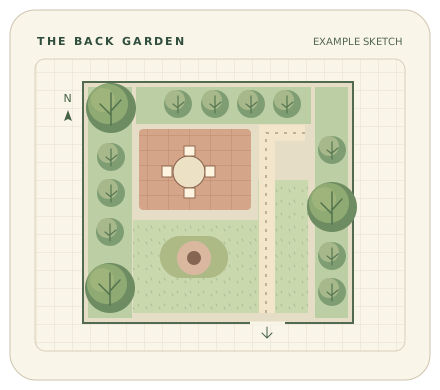
Enter the usable dimensions of a roughly rectangular space. Treat the result as a starting sketch, not a build plan.
768 sq ft total · Entertain outdoors
02 / Field notes
Layout ideas
Three measured small-backyard layouts, common sizing tradeoffs, and a walk-through before you buy furniture or plants.
Read the layout ideas guideSite planning
A simple sunlight log, a way to split your yard into planting zones, and what to check before choosing plants.
Read the site planning guidePhoto workflow
A short photo checklist for backyard makeovers: get useful concepts, compare the same viewpoint, and verify dimensions before committing.
Read the photo workflow guideFrom sketch to photo concept
Explore photo-based garden and backyard concepts in Backyard AI: Backyard Preview for iPhone and iPad.
Photo concepts are inspiration, not measured plans. The app is separate from this free web tool.